LocalSend at a glance
If you have ever tried to move a 900 MB video from your Android phone to a Windows laptop and ended up emailing it to yourself, waiting on a slow cloud upload, or hunting for a USB cable, LocalSend is built for exactly that frustration. It is a small, open-source utility that lets any two devices on the same network find each other and swap files directly — the way AirDrop works between Apple devices, except LocalSend works everywhere.
Here are the core facts you can verify before installing, including the exact package name so you know you are downloading the genuine app and not a repackaged clone.
- App name
- LocalSend
- Package
org.localsend.localsend_app- Version
- 1.17.0
- Size
- ≈ 30 MB
- Android
- 5.0 and up
- Developer
- Tien Do Nam
- License
- Apache-2.0 (open source)
- Category
- File Transfer / Utility
- Price
- Free — no in-app purchases
- Updated
- July 2026
What is LocalSend?
LocalSend is an open-source, cross-platform application for sending files and text between devices on the same local network. It was created by developer Tien Do Nam and has grown into a community project with more than a hundred contributors and over 82,000 stars on GitHub. Instead of routing your data through a company's servers, LocalSend opens a direct, encrypted connection between the two devices you choose, so your files travel the shortest possible path — from one device straight to the other.
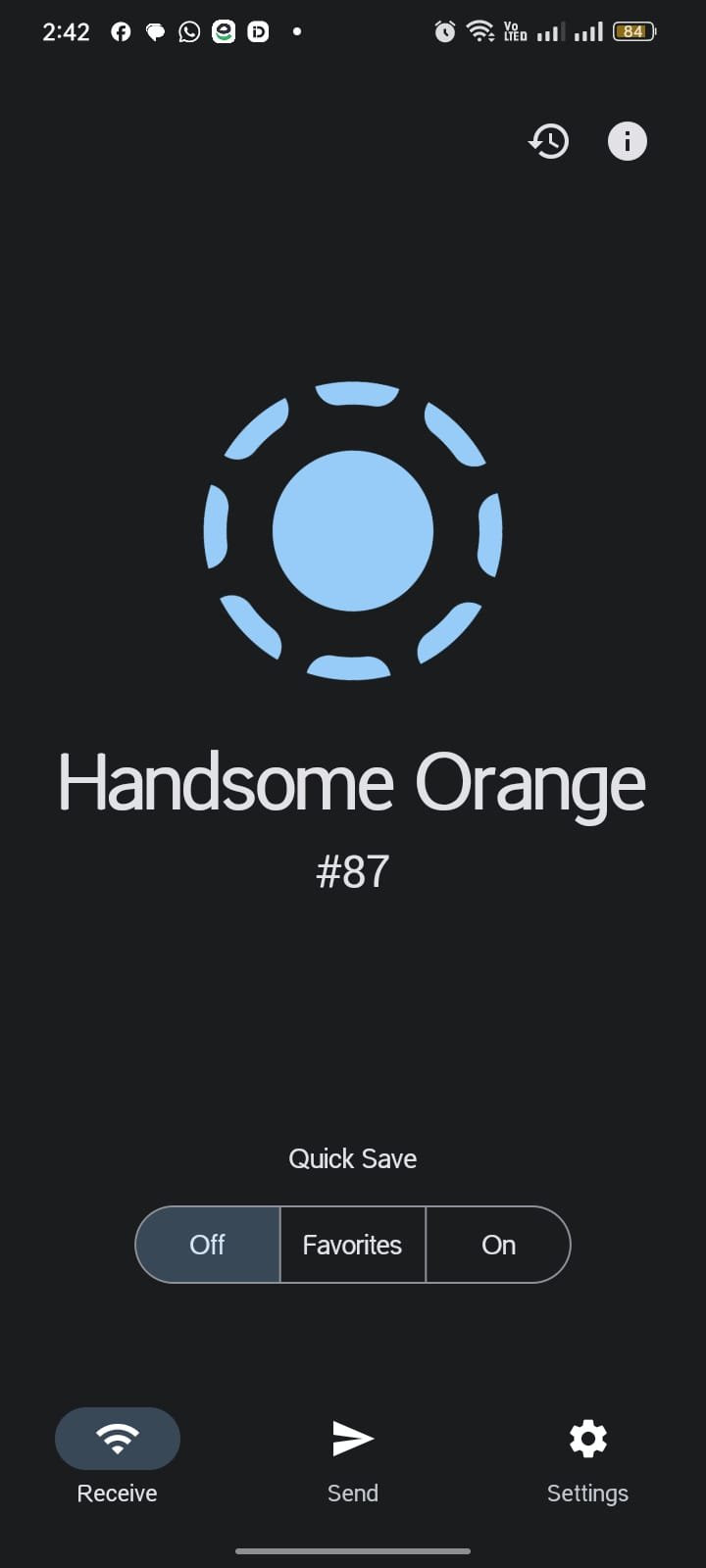
The idea is deliberately narrow, and that focus is why it works so well. Open the app on both devices, and each one advertises itself on the network. Pick the device you want to send to, choose your files, accept the incoming request on the other end, and the transfer runs at full local-network speed. There is no login screen, no QR-code-then-sign-up funnel, and nothing to configure. What keeps me reaching for it over the "share" sheet built into most phones is that it treats a phone, a laptop and a desktop as equals — a Linux tower can send to an iPhone as easily as two Androids can talk to each other.
Because it is licensed under Apache-2.0, the entire codebase is public. That matters for a tool that handles your private files: anyone can read exactly what the app does, and independent packagers such as F-Droid build it from that same source. You are not taking a stranger's word that it is safe — the proof is on the table.
Is there a "premium" or "MOD" version? (No — here's why)
Search for almost any popular app and you will find pages promising a "MOD" build with premium features unlocked. LocalSend is one of the rare cases where that entire idea is meaningless, and it is worth being upfront about it. There is no paid tier to unlock, no watermark to remove, and no feature hidden behind a subscription. Every capability — unlimited file size, encryption, folder transfers, cross-platform support — is already included in the free official app for everyone.
That means any site offering a "LocalSend MOD APK Premium" is, at best, repackaging the same free app and, at worst, wrapping it with something you do not want. Our advice is simple and it is the same advice we would give a friend: install the genuine build, verify the package name org.localsend.localsend_app, and ignore anything advertising paid features that do not exist. The honest version is the best version here.
Key features of LocalSend
What keeps LocalSend on my home screen is not a long menu of settings — it is that the few things it does, it does cleanly. Below are the features that matter most in day-to-day use, with a note on why each one earns its place. A couple of them link to full step-by-step guides if you want to go deeper.
- Works with no internet. Transfers run over your local Wi-Fi or a phone hotspot, so you can move files on a plane, in a basement, or anywhere the signal drops. See the offline guide.
- Truly cross-platform. Android, iOS, Windows, macOS and Linux all speak the same protocol, so mixed-device households finally have one tool that works between all of them.
- End-to-end encryption. Every transfer uses HTTPS with TLS, so files are encrypted in transit even on a shared café network. How the encryption works.
- No account, ever. There is no sign-up, no email, and no phone number. You open the app and it is ready — nothing to remember, nothing to leak.
- No file size limit. Send a single 6 GB video or a folder of 400 photos; the only ceiling is your network speed and the free space on the receiving device.
- Send text and links too. Beyond files, you can shoot a quick note, a Wi-Fi password or a long URL to another device without typing it out twice.
- Folders in one go. Drop an entire folder and LocalSend preserves the structure on the other side, which is a small thing until you are moving a project directory.
- Open source and auditable. The Apache-2.0 code is public, so security researchers and packagers can inspect exactly what runs on your device.
- Zero ads and zero tracking. There is no advertising SDK and no analytics; the app is not monetized off your attention or your data.
- Fast, direct speed. Because data never detours through a cloud, large transfers finish at the speed of your own network rather than your upload bandwidth. Speed tips.
What makes LocalSend stand out
Plenty of apps can move a file from A to B. The reason LocalSend has quietly earned five million downloads is the combination of things it refuses to do — no cloud middleman, no account wall, no ads — paired with the fact that it is genuinely pleasant to use. These are the qualities that come up again and again from long-term users.
Minimum requirements
LocalSend is light and undemanding — it runs comfortably on budget phones and older laptops because it does not process or re-encode anything; it simply moves bytes across the network. The one thing every device needs is to be on the same Wi-Fi network (or connected to the same hotspot) as the device it is talking to.
| Requirement | Minimum | Recommended |
|---|---|---|
| Android version | Android 5.0 (Lollipop) | Android 9 or newer |
| Free storage | 60 MB for the app | Plus room for received files |
| RAM | 1 GB | 2 GB or more |
| Network | Shared Wi-Fi or hotspot | 5 GHz Wi-Fi for large files |
| Permissions | Local network + storage | Same |
How to download & install LocalSend APK
Installing a downloaded APK takes about a minute. The steps below assume you are installing on Android from this page; if you would rather use an official store, jump to the next section. Read the short safety note first — the Play Protect warning it describes is normal and expected for any sideloaded app.
- 1Tap the download button
The LocalSend APK (≈ 30 MB) saves to your Downloads folder in a few seconds.
- 2Open the file
Pull down your notification shade and tap the finished download, or open it from your Files app.
- 3Allow unknown apps
If prompted, grant your browser or Files app permission to install unknown apps. This is a one-time toggle in Android settings.
- 4Confirm the install
Review the app name and package, then tap Install. The whole process takes only a few seconds on most phones.
- 5Open LocalSend
Tap Open. On first launch, allow the local-network and storage permissions so it can discover other devices and save files.
- 6Send your first file
Open LocalSend on a second device on the same network, pick it from the list, choose a file, and accept the request on the other end. Done.
Install from an official store
Prefer automatic updates? LocalSend is published on the major app stores and on F-Droid, and because it is open source you can also build it yourself from GitHub. Installing from a store is the most hands-off route — updates arrive on their own — though the version there can sometimes lag a release behind the direct APK.
- 1Open your app store
Launch the Google Play Store, the Apple App Store, or the F-Droid client on your device.
- 2Search for LocalSend
Type "LocalSend" and confirm the developer is Tien Do Nam and the package is
org.localsend.localsend_app. - 3Tap Install
The store handles the download and installation for you, with no unknown-apps toggle required.
- 4Grant permissions
Allow local-network and storage access on first launch so the app can see other devices.
- 5Enable auto-updates
Leave automatic updates on so new tested builds install themselves as they ship.
What's new in v1.17.0
LocalSend ships steady, incremental releases rather than dramatic redesigns, which is exactly what you want from a utility you rely on. The recent updates have focused on reliability across networks, smoother large-folder transfers, and platform polish. Here are the highlights users have noticed most.
- More reliable device discovery on tricky networks, including some setups that previously hid devices behind client isolation.
- Smoother folder transfers so large directories with many small files complete more consistently without stalls.
- Refined interface with clearer transfer progress and a tidier device list on both phone and desktop.
- Localization updates that expand and correct translations across the app's many supported languages.
- Stability and security fixes under the hood, keeping the encrypted-transfer layer current with dependency updates.
LocalSend vs cloud and AirDrop-style tools
The clearest way to see where LocalSend fits is to line it up against the two things people usually reach for instead: a cloud service (Google Drive, WhatsApp, email) and Apple's AirDrop. The table below sums up the trade-offs. LocalSend's whole pitch is the middle column staying green without locking you to one brand of hardware.
| Feature | LocalSend | Cloud upload | AirDrop |
|---|---|---|---|
| Works with no internet | ✓ | ✕ | ✓ |
| Cross-platform (Android + iOS + PC) | ✓ | ✓ | ✕ |
| No account required | ✓ | ✕ | ✓ |
| Files never touch a server | ✓ | ✕ | ✓ |
| End-to-end encrypted | ✓ | Varies | ✓ |
| No file-size cap | ✓ | Limited | ✓ |
| No ads or tracking | ✓ | Varies | ✓ |
| Open source / auditable | ✓ | ✕ | ✕ |
| Free | ✓ | Freemium | ✓ |
The pattern is easy to read once you see it. A cloud upload is unbeatable when you need to reach someone in another city, but it trades your privacy and your data allowance to get there. AirDrop is superb — as long as everyone in the room owns Apple hardware. LocalSend deliberately sits between them: it keeps the local, private, no-account feel of AirDrop while dropping the requirement that every device wear the same logo. That single design choice is why it has become the default answer in mixed-device homes and offices where neither of the other two options ever quite fit.
Pros & cons
No tool is perfect, and pretending otherwise helps no one. Here is the honest ledger after using LocalSend as my main transfer app across a phone, a Windows laptop and a Linux desktop.
What works
- Genuinely cross-platform — the only free tool I trust between Android, iOS, Windows, Mac and Linux at once.
- Fast on a good network because nothing detours through the cloud.
- No account, no ads, no data collection, and no hidden paid tier.
- Open-source code you or a researcher can actually inspect.
What to watch
- Both devices must be on the same network — it will not send across the internet to a friend in another city.
- Some restrictive public or corporate Wi-Fi networks block device-to-device discovery, so you may need a hotspot instead.
- Sideloaded APKs do not auto-update, so you refresh this page or use a store build for the newest version.
Why people worldwide switched to LocalSend
LocalSend spread fastest in exactly the places where the "just use AirDrop" answer never applied — homes and offices with a mix of Android phones, Windows PCs and the occasional iPhone. From Germany, where the project began, to India, Indonesia, Brazil and beyond, the appeal has been remarkably consistent. Here is what keeps coming up.
- Mixed-device reality. Most households are not all-Apple. LocalSend is the rare tool that treats an Android phone and a Windows laptop as first-class partners.
- Data costs matter. Where mobile data is expensive, moving a 2 GB video over local Wi-Fi instead of the cloud saves real money on every transfer.
- Privacy awareness is rising. Users increasingly dislike routing personal files through third-party servers, and "it never leaves my network" is an easy promise to understand.
- It works when the internet doesn't. Spotty connections, trains, and rural coverage gaps are no obstacle because the transfer is local.
- No app-store account friction. The direct APK and F-Droid options make it easy to install even on devices without Google services.
- Word of mouth in tech communities. Being open source earned it early trust among developers, who then recommended it to family and coworkers.
Top alternatives to LocalSend
LocalSend is my first pick, but it is worth knowing the neighbours — especially if you need to send across the internet rather than just locally. Each of these solves a slightly different version of the problem; the full write-ups compare them fairly.
Comparing head-to-head? See LocalSend vs SHAREit, LocalSend vs Send Anywhere, and LocalSend vs PairDrop.
Get new versions in your inbox
We email you when a fresh, tested build of LocalSend drops. No spam, unsubscribe anytime.
Supported languages
LocalSend is translated by its community, so the interface reads naturally in dozens of languages. If your language is missing a phrase, anyone can contribute a fix through the open project. These are among the most widely used:
- English
- German
- Spanish
- French
- Portuguese
- Italian
- Russian
- Turkish
- Arabic
- Hindi
- Indonesian
- Vietnamese
- Japanese
- Korean
- Chinese (Simplified)
- Polish
- Ukrainian
What users say
Feedback tends to sound the same after a while, and that consistency is the point — people mostly say some version of "it just worked." A few representative notes:
"Finally something that moves files from my Samsung to my MacBook without a cable or a cloud upload. It just finds the laptop and sends."— Marco R.
"I sent a 4 GB folder to my daughter's tablet in the same room in under two minutes, offline. No account, nothing to sign up for."— Priya N.
"As a developer I love that it's open source. I read the code before trusting it with work files, and it does exactly what it says."— Daniel K.
Frequently asked questions
Is LocalSend free?
Yes — completely. LocalSend is open source under the Apache-2.0 license with no paid tier, no premium unlock and no subscription. Every feature is available to everyone at no cost.
Does LocalSend need the internet?
No. It transfers directly over your local Wi-Fi or a shared hotspot, so it works with no internet connection at all. Your files never pass through a cloud server.
Is LocalSend safe to use?
It is open source and every transfer is encrypted with HTTPS/TLS. Because the code is public, it can be independently audited, and files stay on your own network rather than being uploaded anywhere.
Which devices work with LocalSend?
Android, iOS, Windows, macOS and Linux. Any two of these can send to each other as long as they are on the same network — for example an Android phone to a Windows PC, or a Linux laptop to an iPhone.
Is there a file-size limit?
There is no built-in cap. You can send multi-gigabyte videos and large folders; the practical limit is your network speed and the free storage on the receiving device.
Why does Android warn me when installing the APK?
That Play Protect notice appears for any app installed outside the Play Store. It is expected behaviour for sideloading, not a sign of a problem. Verify the package name org.localsend.localsend_app and size before installing.
Final verdict
After months of using it as my default, LocalSend is the tool I now recommend first whenever someone asks how to move files between a phone and a computer without the cloud. It is fast, private by design, works across every platform I own, and costs nothing — a combination almost nothing else offers for free.
The honest caveats are small and predictable: both devices need to share a network, and the direct APK will not update itself. Neither is a dealbreaker once you know about them. If you regularly shuffle photos, videos or documents between devices, download the latest tested build below and try one transfer — it usually replaces three other habits at once.
Reviewed and updated by Nadia Karim · July 2026