LocalSend on iPhone, explained
If you have an iPhone in an all-Apple world, AirDrop already covers you. The moment there is an Android phone, a Windows laptop or a Linux desktop in the mix, that convenience evaporates — and that is exactly the gap LocalSend fills on iOS. It is a free, open-source app on the App Store that lets your iPhone or iPad swap files with any other device running LocalSend, regardless of the operating system, as long as everyone is on the same local network.
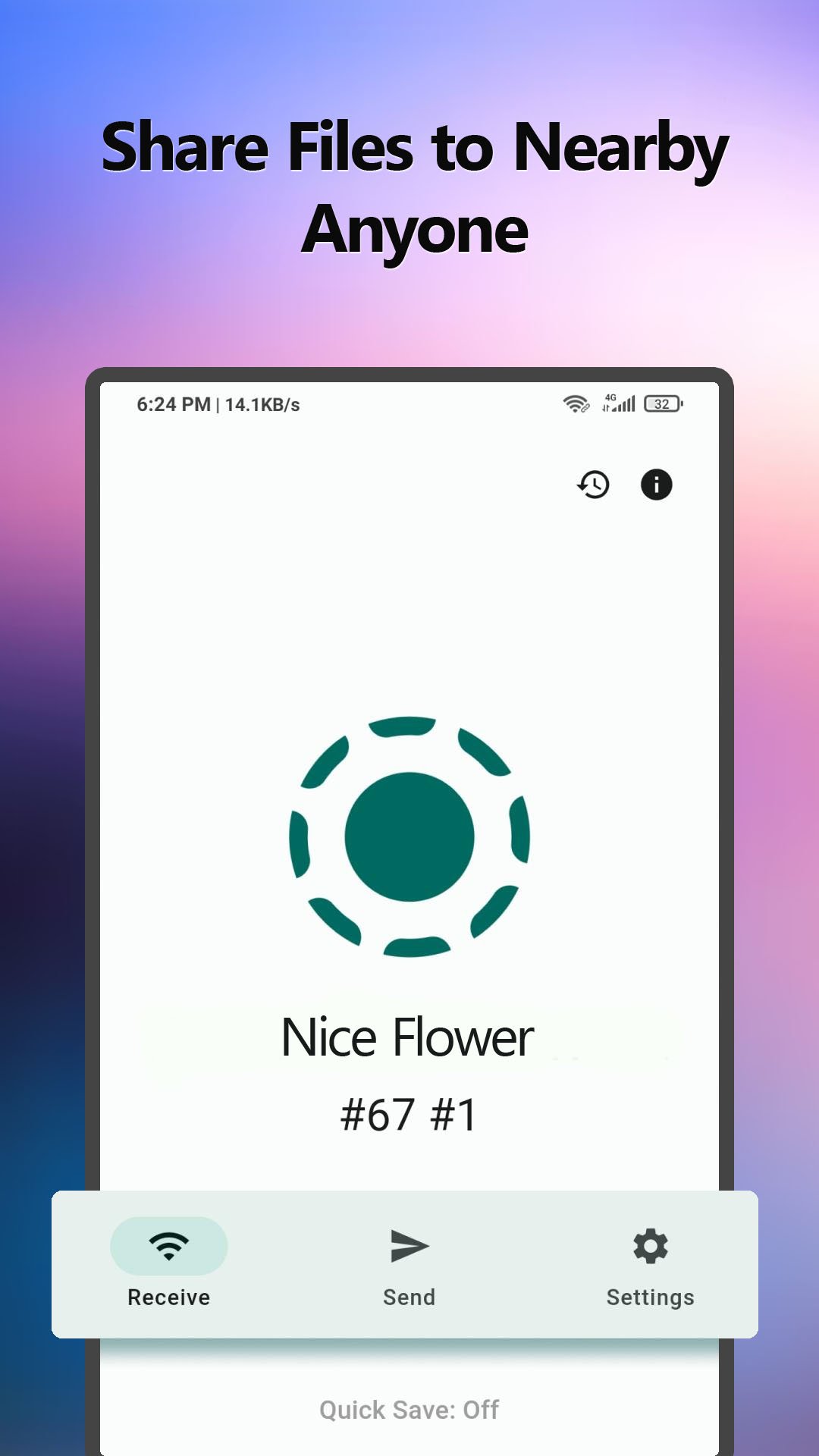
The experience feels native and simple. Open the app, and nearby devices appear by name; pick one, choose your photos or files, and the recipient accepts on their end. Nothing uploads to a server, no account is required, and there is no size cap beyond your storage. What surprises most first-time users is how ordinary it feels — it behaves like AirDrop, just without the walled garden. That is the whole pitch, and on iOS it delivers.
What you get in the iOS app
The iPhone build carries the same core capabilities as every other platform, adapted to iOS conventions. These are the features you will actually use.
- Cross-platform sending. Push files from your iPhone to Android, Windows, Mac or Linux — and receive from them just as easily.
- Offline transfers. Everything runs over local Wi-Fi or a hotspot, so it works with no internet connection at all.
- Encrypted by default. Each transfer is protected with HTTPS/TLS, keeping your files private even on public networks.
- Send photos, files and text. Share from the Photos app, the Files app, or paste text and links to send in one tap.
- No account, no ads. There is no sign-up and no advertising; the app asks only for local-network permission.
- Free forever. LocalSend is open source with no in-app purchases, so nothing is locked behind a paywall.
Key features of LocalSend for iOS
Beyond the headline list, a handful of details make the iOS app pleasant to live with rather than something you install and forget. Here is what stands out after regular use on an iPhone.
1. It integrates with the Share sheet
You can send straight from Photos, Safari or Files using the standard iOS share menu, so LocalSend fits into the way you already move things around your phone rather than forcing a separate workflow.
2. Bidirectional by design
Sending and receiving are equal partners. Your iPhone can be the source or the destination, which matters when someone wants to shoot you a file rather than the other way around.
3. Handles large media
4K videos and big photo albums transfer at local-network speed, so a clip that would crawl through a cloud upload lands on the other device in seconds on a decent connection.
4. Privacy that you can verify
Because the code is open source, LocalSend's "your files never leave the network" claim is auditable — a rare thing for an iOS utility that touches your personal media.
5. Clean, native-feeling interface
The layout follows iOS conventions, so there is no learning curve. Nearby devices show up in a simple list, and the transfer flow is two taps.
6. No login walls
There is no email capture, no "create an account to continue", and no onboarding funnel. You open it and it is ready to use.
7. Text and clipboard sharing
Beam a long URL, an address or a Wi-Fi password to another device without retyping it — handy when moving between an iPhone and a laptop.
8. Works alongside AirDrop
You do not have to give up AirDrop; LocalSend simply extends the same idea to the non-Apple devices AirDrop cannot reach.
9. Lightweight and battery-friendly
The app does no background processing, so it will not quietly drain your battery or clutter your phone the way heavier "transfer" apps sometimes do.
Requirements
LocalSend is easy on hardware, so it runs on a wide range of iPhones and iPads. The essential requirement is simply that the two devices share a network. Here is the quick reference.
- iPhone
- iPhone with iOS 12 or newer
- iPad
- iPad with iPadOS 12+
- Storage
- ~40 MB for the app
- Network
- Same Wi-Fi or hotspot
- Permission
- Local network + Photos/Files
- Price
- Free — no in-app purchases
Method 1 — Install free from the App Store
This is the route almost everyone should take. LocalSend has an official App Store listing from the verified developer, which means automatic updates and Apple's normal review protections. It takes under a minute.
- 1Open the App Store
On your iPhone or iPad, open the App Store and tap the search tab.
- 2Search "LocalSend"
Confirm the listing is the genuine one before installing.
- 3Tap Get
The app is free — there is no charge and no account required to download it.
- 4Open LocalSend
Launch it and allow the local-network permission when iOS asks, so it can find nearby devices.
- 5Open the app on the other device
Make sure that device is on the same Wi-Fi and has LocalSend running.
- 6Send your first file
Pick a file, choose the other device, and accept the request to complete the transfer.
Method 2 — Sideload the IPA (advanced)
You only need this if you want a specific build that is not on the App Store, or you are testing on a device without store access. Sideloading an IPA on iOS is more involved than on Android and usually requires a tool like AltStore or Sideloadly plus a computer. For the overwhelming majority of users, Method 1 is simpler and safer.
- 1Install a sideloading tool
Set up AltStore or Sideloadly on your computer and connect your iPhone.
- 2Get the LocalSend IPA
Obtain the IPA from a trusted source such as the project's official releases.
- 3Sign and install
Use the tool to sign the IPA with your Apple ID and push it to your device.
- 4Trust the developer profile
On the iPhone, go to Settings → General → VPN & Device Management and trust your profile.
- 5Launch and grant permission
Open the app and allow local-network access to start transferring.
Is there a paid or "premium" version on iOS?
Short answer: no, and it is worth being clear about it because some listings elsewhere imply otherwise. LocalSend on iOS has no membership, no subscription tier and no in-app purchases. Every feature — cross-platform transfers, encryption, unlimited file size, folder support — is included in the free download. There is simply nothing to buy.
That also means you should be sceptical of any site or app promising a "LocalSend Premium" or a paid IPA with extra features. Those features do not exist as a paid product. The genuine app from the verified developer is free, and it is the complete version. If price is on your mind, you can install it with total confidence that the cost is, and will remain, zero.
iOS-specific notes worth knowing
A few iOS behaviours differ from Android and can trip people up the first time. None are dealbreakers; they just help to know in advance.
LocalSend vs AirDrop on iPhone
The question I hear most from iPhone owners is simple: "I already have AirDrop — why would I add this?" It is a fair point, and the honest answer is that the two are not really competitors so much as partners that cover different situations. AirDrop is faster and more deeply integrated when both devices are Apple. LocalSend earns its place the instant a non-Apple device enters the picture, which for most people is more often than they expect.
| Feature | LocalSend | AirDrop |
|---|---|---|
| iPhone to Android | ✓ | ✕ |
| iPhone to Windows / Linux | ✓ | ✕ |
| iPhone to iPhone / Mac | ✓ | ✓ |
| Works offline (local Wi-Fi) | ✓ | ✓ |
| Encrypted transfers | ✓ | ✓ |
| Open source / auditable | ✓ | ✕ |
| No account required | ✓ | ✓ |
Keep AirDrop for your Apple-to-Apple moments; add LocalSend for everything else. Together they mean you never again hit the "I can't send this to that phone" wall — which is exactly the frustration that pushed millions of mixed-device households to install it in the first place.
Pros & cons on iOS
Here is the honest ledger for iPhone and iPad users specifically.
What works
- Free on the App Store with automatic updates and Apple review protections.
- Sends to Android, Windows, Mac and Linux — the one thing AirDrop cannot do.
- No account, no ads, no in-app purchases, and open-source code you can inspect.
- Integrates with the iOS Share sheet from Photos, Files and Safari.
What to watch
- Both devices must be on the same network — there is no internet-based transfer.
- iOS requires you to grant local-network permission, which some users miss on first launch.
- Sideloading an IPA is fiddly and expires quickly, so the App Store version is almost always the better choice.
Frequently asked questions
Is LocalSend available for iPhone?
Yes. LocalSend is on the Apple App Store as a free download for iPhone and iPad, and it can send files to and receive from Android, Windows, Mac and Linux over the same local network.
Can an iPhone send files to Android with LocalSend?
Yes. Because LocalSend uses one shared protocol on every platform, an iPhone can send to an Android phone and receive from it, as long as both devices are on the same Wi-Fi or hotspot.
Is LocalSend for iOS free?
Completely. It is open source with no ads, no account and no in-app purchases on iPhone or iPad. Every feature is included in the free App Store download.
Final Thought
For an iPhone user who lives in a mixed-device world, LocalSend is close to essential. It keeps the effortless feel of AirDrop but tears down the wall, so your photos and files can reach an Android phone or a Windows laptop just as easily as another iPhone — and it costs nothing to do it. Installing from the App Store takes under a minute and gives you automatic updates for free.
My advice is simple: use the App Store version, grant the local-network permission on first launch, and keep the app on your home screen next to the Files app. If you also use a computer, pair this with our LocalSend for PC guide, or head to the homepage for the full feature breakdown and the latest tested build.
Reviewed and updated by Nadia Karim · July 2026